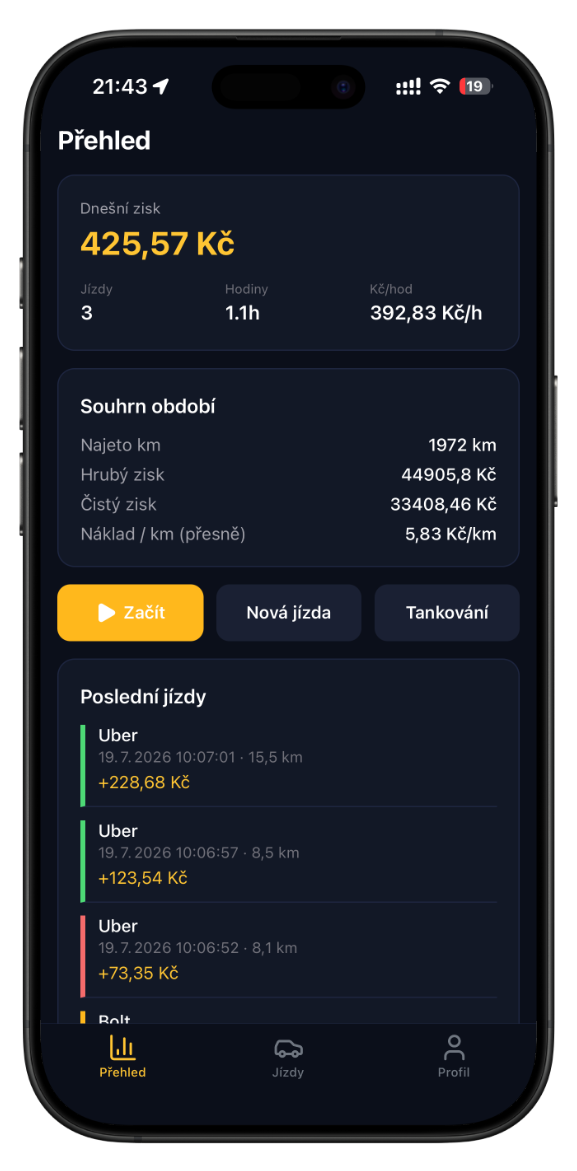
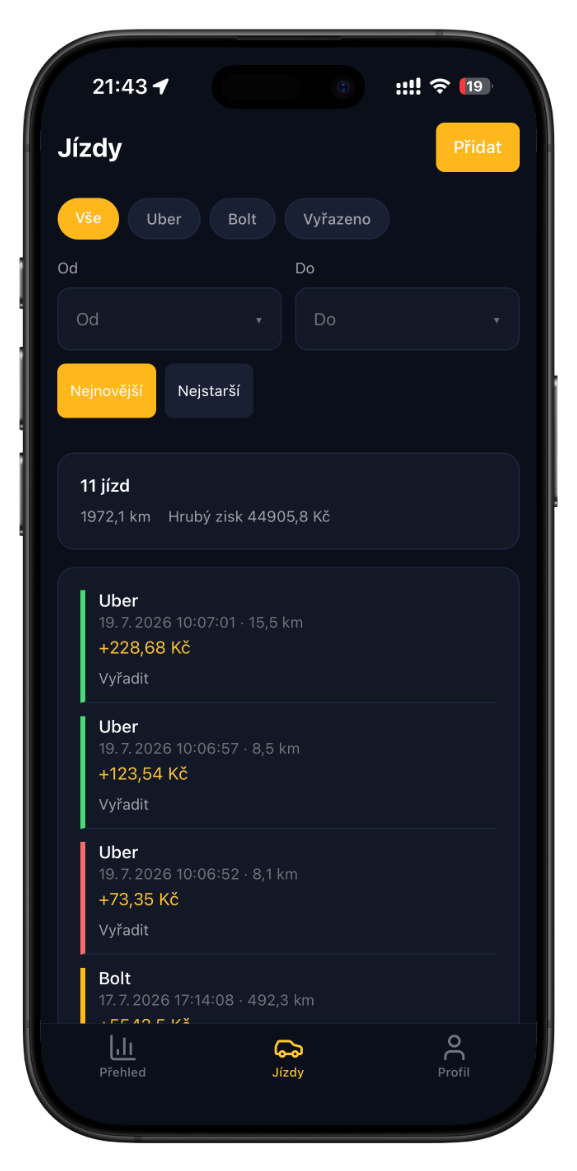
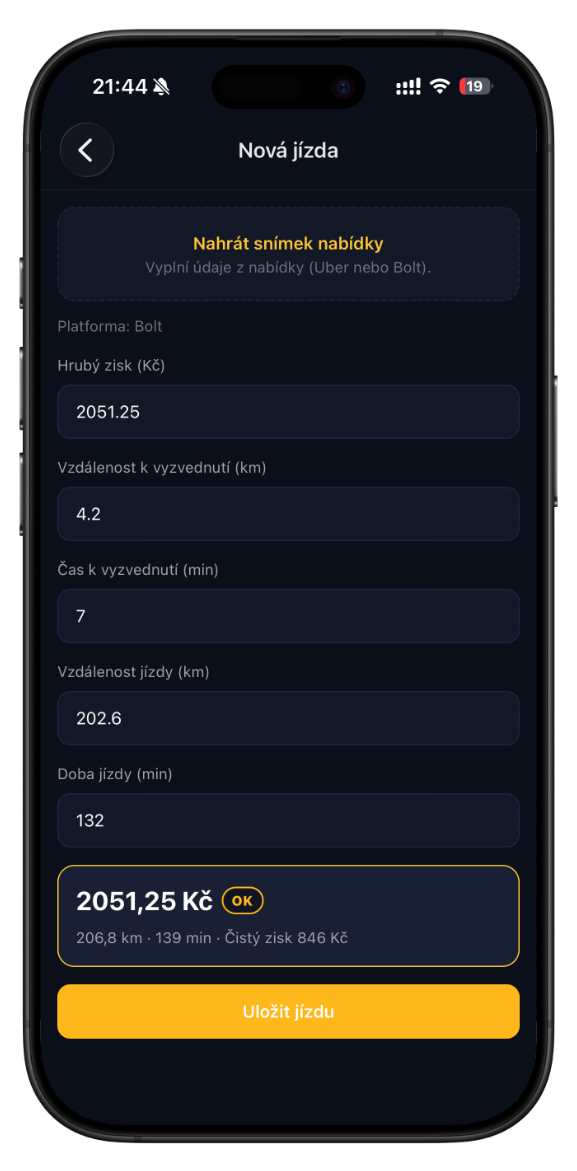
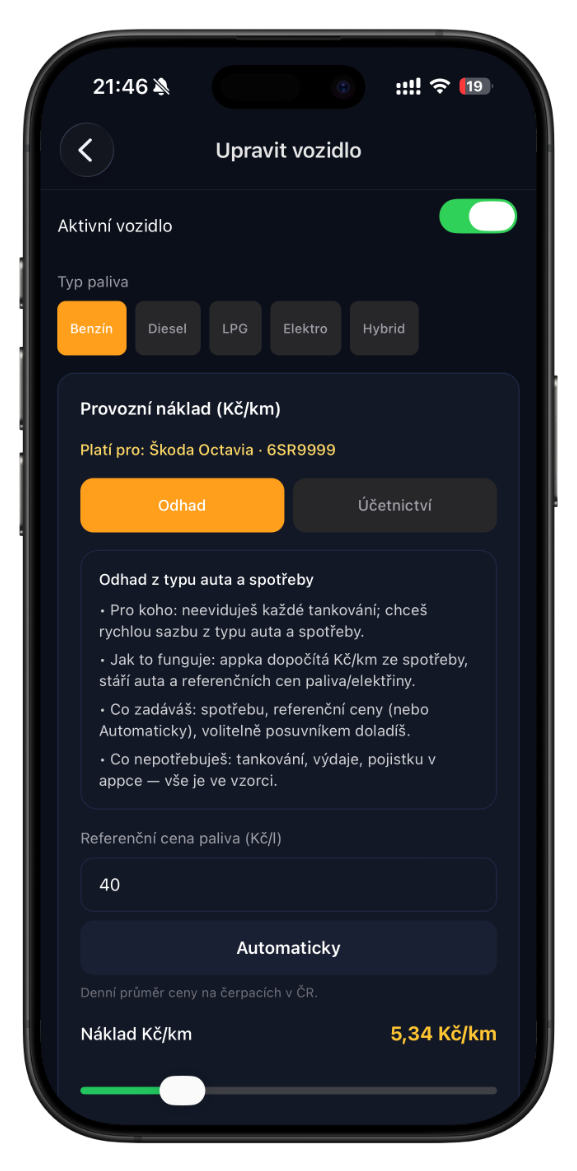
Everything for your shift.
Enter rides manually or read the offer from a screenshot — in seconds.
Fuel, service, insurance, per-kilometre wear.
Daily, weekly and monthly earnings and profitability in one view.
During your shift it detects offers and reports profitability. Processing happens right on your phone — nothing is sent.
Track goal progress directly on your lock screen.
Try it without a credit card. Then subscribe via the App Store or Google Play.
Three steps and you are driving.
- 1Sign up
Add your vehicle — fuel consumption and price. Done in a minute.
- 2Log your rides
Manually or upload a screenshot — the app reads it for you.
- 3Start your shift
Optionally enable automatic detection — for every offer you instantly see whether it is worth it.
One vehicle, 140 offer reads from a screenshot. No credit card required.
- · Full reports and stats
- · Offer reading from a screenshot
- · Automatic detection
Unlimited vehicles and offer reads from screenshots. Subscription via the App Store or Google Play — cancel anytime in your store account settings.
- · Unlimited vehicles
- · Unlimited offer reads from screenshots
- · Restore purchases in-app
Frequently asked questions
Is DriveCalc an official Uber or Bolt app?+
No. DriveCalc is an independent tool. It does not connect to their APIs or to your accounts with them.
Do you record my screen or store screenshots?+
No. Offer reading happens on your phone. We only store ride data you confirm (price, kilometres, time).
How do I delete my account?+
In the app: Profile → Delete account. Your data is permanently deleted.
Which platforms is the app available on?+
iOS and Android.